
in a blog postGoogle shared that its browser is no longer just a place to scroll through web pages and navigate tabs. With the introduction of AI capabilities powered by Gemini 3, Chrome is evolving into a smarter, more engaged browsing partner that helps users not just find information, but actually get things done online.
From a persistent AI side panel to a feature called Auto-Browse, Google is rethinking the way you interact with the web and positioning Chrome to feel more like an intelligent assistant than a traditional browser.
Gemini in Chrome: AI assistant on standby
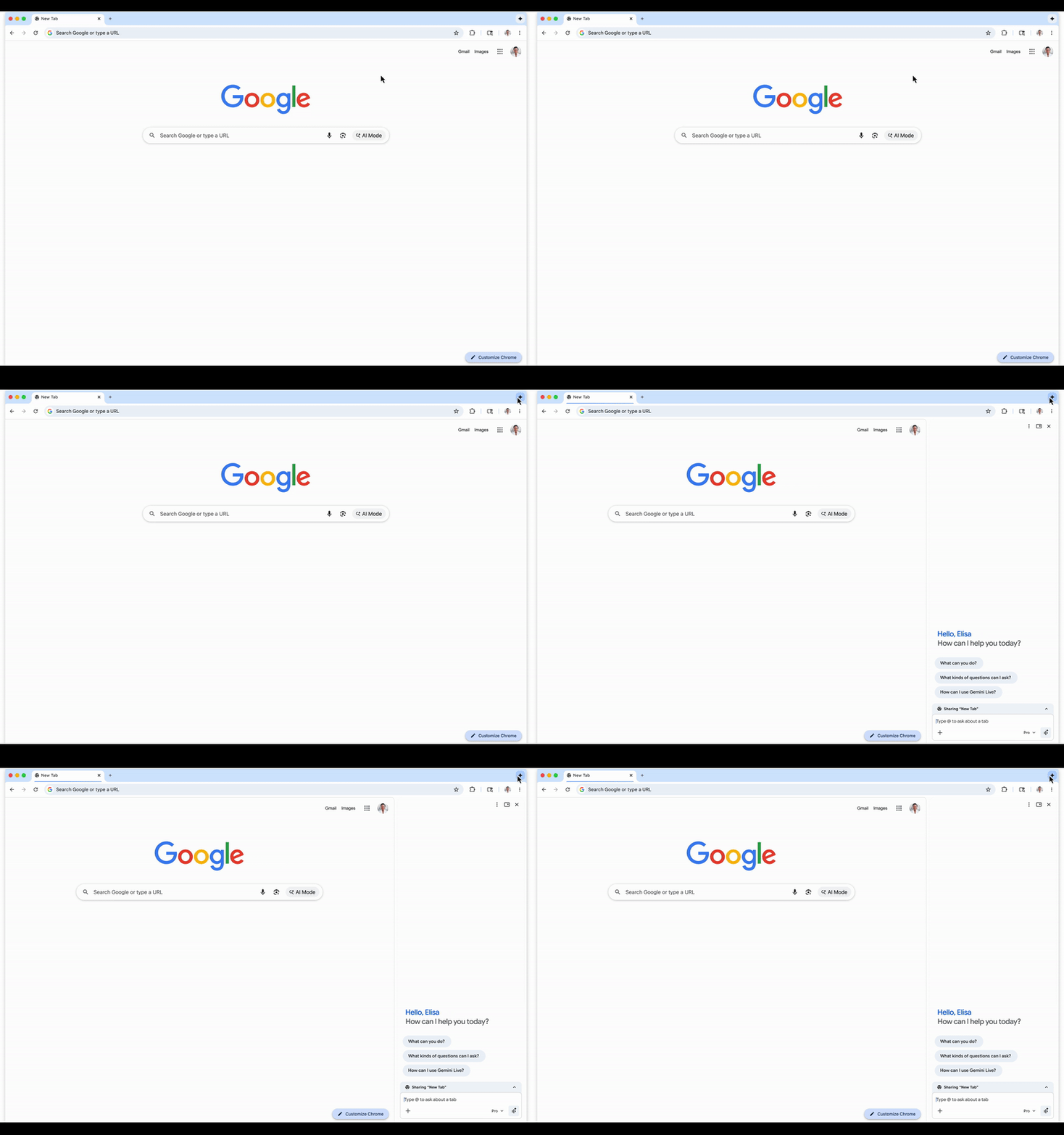
How the side panel works
Photo: Google
At the heart of this update is Gemini 3, Google’s newest and most capable generative AI model. Instead of hiding the chat window in a popup, Chrome has a dedicated Side panel where Gemini sits ready to help at any time You can perform tasks while you continue browsing without interruption.
This panel is the new home for Chrome’s AI features. You can ask Gemini to summarize the contents of your open tabs, compare products, and find important details without copy-pasting or switching windows. It works in conjunction with other Google services like Gmail, Calendar, Maps, and Google Shopping to give Chrome a more connected experience than before.
Chrome also integrates Nano BananaGoogle’s AI-powered image tools directly into your browser. A simple text prompt in the side panel lets you convert images without requiring a separate app or downloading a file first. This brings creative workflows like editing photos for your blog or remixing visuals for social media directly into your browser.
Auto-browse: Let Chrome do the heavy lifting
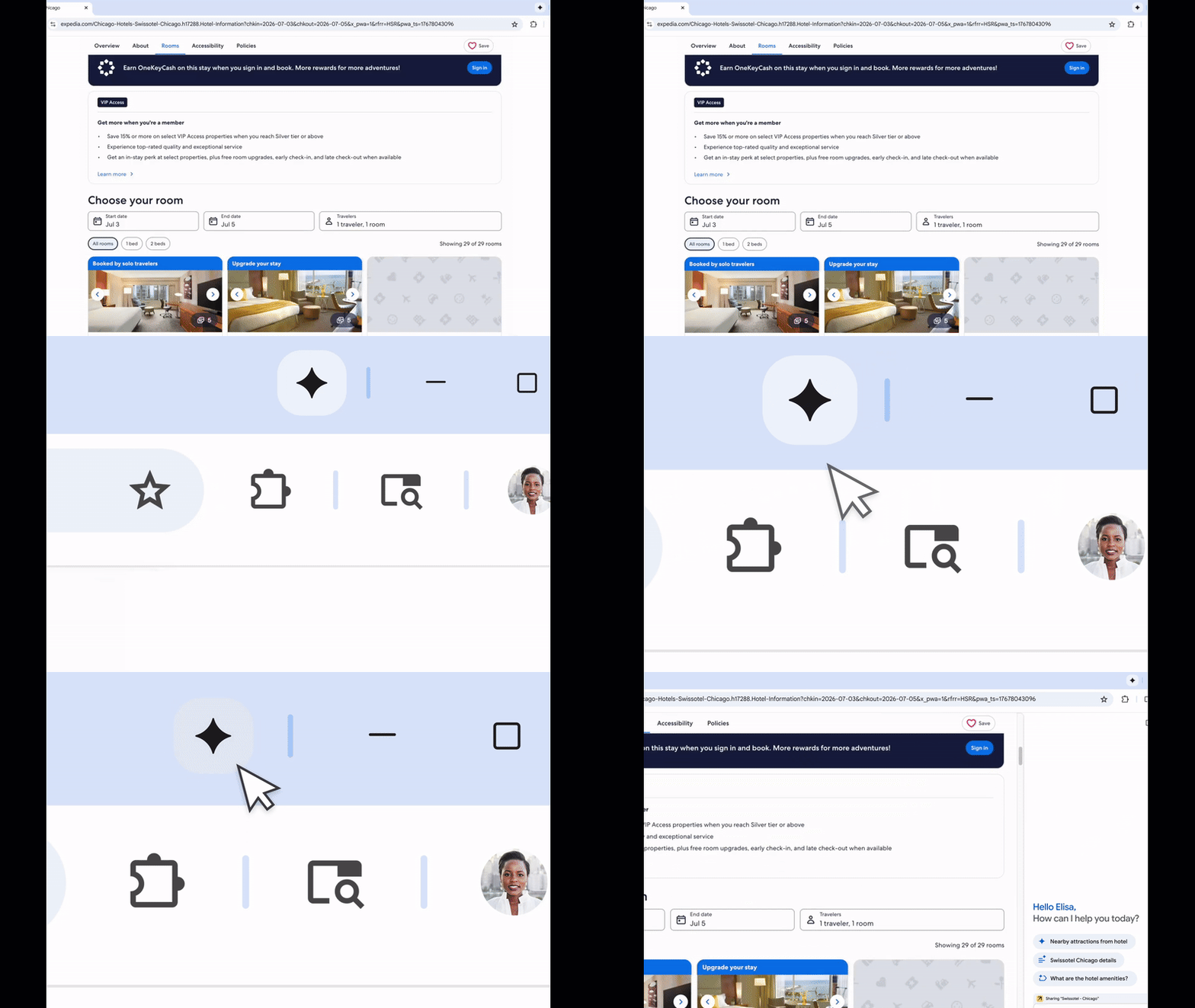
Plan your trip right from your browser.
Photo: Google
One of the most talked about features is automatic browsing.. The feature, currently available to Google AI Pro and AI Ultra subscribers in the US, goes beyond information suggestions and into task automation. AutoBrowse can look up information across multiple sites, fill out online forms, search for flights and hotels, compare prices, and even assist with complex shopping tasks. Log into your account with user permission and process multi-step workflows that previously required hours of manual intervention.
For example, when you tell AutoBrowse you want to plan a trip, it can scan airline options, check dates against Google Calendar, find accommodations, and sketch out options while you focus on another tab. This essentially turns your browser into a virtual personal assistant, helping you with chores and arrangements that would otherwise be intimidating.
This feature reflects a broader ambition to make daily browsing more productive, especially for people who are busy with tabs, deadlines, or detailed plans. Chrome is no longer just a gateway to information, it’s a partner for completing real-world tasks.
Who will benefit from Chrome’s new AI features?
These AI innovations are designed for a wide range of users, from students and professionals to casual browsers and creatives. If you often find yourself:
- Compare products in multiple tabs
- Summaries of complex pages and research materials
- I’m trying to plan and manage my travel schedule.
- Edit or generate images without additional tools
Chrome’s new AI features are built to simplify these actions and reduce the number of steps you have to take online.
Advanced users and paid subscribers will take full advantage of agent features like auto-browsing, but with the core side panel and integration with apps like Gmail and Calendar, even casual users can enjoy a more seamless experience when Chrome’s AI is ready to help them at the side of their screen.
What are the features of this update?
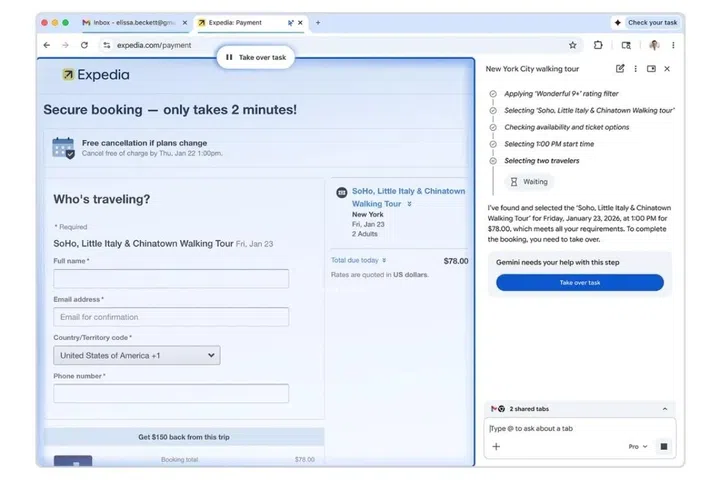
It’s still safe
Photo: Google.
Continuity and context awareness are what make this update different from previous attempts to blend AI and browsing. Gemini in Chrome tracks your browsing context so you don’t have to start from scratch every time you ask a question. Rather than jumping between apps and tabs, Chrome weaves together information from your Gmail, calendar, and search history to provide recommendations based on your usage patterns.
Chrome’s AI capabilities also represent a move towards agent behavior, where the browser can perform multi-step actions on your behalf if you allow it. It’s a significant shift away from simple summaries and search responses. This reflects a broader industry trend toward AI assistants that work across apps and services, not just answering queries.
With greater power comes greater risk. Having AI handle tasks such as logging into accounts and shopping on behalf of users raises important questions about safety and reliability. Google emphasizes that sensitive actions like purchases and social media posts require user confirmation, giving users greater control.
We’re also becoming more aware of potential exploits, such as malicious AI extensions attempting to exfiltrate data from Chrome, showing how widespread AI capabilities can quickly attract bad actors.
According to Google, the Gemini update for Chrome will be available for macOS, Windows, and Chromebook Plus devices. Unfortunately, the release date was not revealed. But as these tools become more widely deployed, we could see a very different web experience, with browsers feeling more like assistants than utilities.